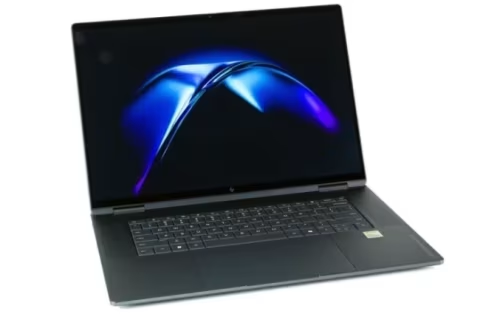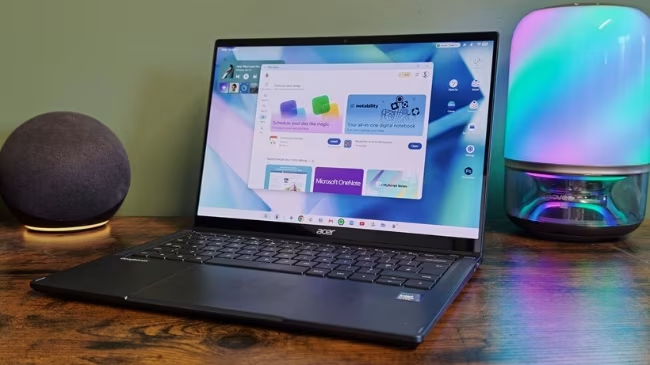
The Acer Googlebook 14 (2026) presents hardware that many reviewers find impressive, though the experience is constrained by an operating system still considered a work in progress. Priced at £1,099.99, the device attempts to launch Google’s boldest platform yet: Googlebook OS. This system combines Android’s app library with a desktop interface and deep Gemini integration, aiming to challenge both Windows and macOS.
The physical design proved a clear strength. Google required manufacturers to include an all-metal body, biometrics, and the signature Glow Bar. Acer executed this with a stylish dark blue aluminium chassis that functions as both a premium laptop and a convertible. It is currently the only Googlebook model featuring an 180-degree hinge, allowing for laptop, tent, and tablet modes.
Practical user input is handled by a full keyboard with satisfying travel, alongside new Googlebook-specific function keys. The trackpad is large and responsive. However, the fingerprint sensor proved unreliable during testing, frequently requiring multiple attempts to achieve initial setup and unlock the device.
The display itself is a major highlight. The 14-inch OLED panel delivers a smooth 120Hz refresh rate, offering deep blacks and vibrant colours at a sharp 2880 x 1800 resolution. Although the bezels are somewhat thick, the audio experience is strong; upfiring speakers provide clear and loud sound.
Connectivity is adequate but not expansive. Users find one Thunderbolt 4 Type-C port and one USB 3.2 Gen 2 Type-C on the left side, plus a 3.5mm headphone jack and a second USB 3.2 Gen 2 Type-C port on the right. Because there are no USB-A ports or memory card slots, adapters are necessary for legacy peripherals.
For performance, the CPU department is strong. Geekbench 7 scores of 2,448 single-core and 11,087 multi-core place the Googlebook on par with other Android tablets. However, the GPU is a weaker component. Its Solar Bay score is 38% behind competitors like the Astra 2, and the Geekbench 7 GPU score trails last year’s Galaxy Tab S11 Ultra.
Battery life remains dependable, lasting around ten and a half hours. The 71Whr cell is estimated to reach 50% capacity in 39 minutes and requires 94 minutes for a full charge using the included charger.
The core challenge rests entirely with Googlebook OS. While the concept—ChromeOS merged with Android for a desktop experience featuring Gemini—is appealing, the reality at launch is messy. Most available applications lack desktop optimization. For example, Slack uses the mobile interface rather than the expected desktop split-pane layout, and Photoshop functions as a basic, blown-up mobile app.
Even seemingly simple functions can be awkward; the Android share sheet is used by Canva, making tasks like saving an image surprisingly difficult. Although Chrome supports extensions and is closer to its desktop counterpart, it still lacks key features found on Windows or Mac, such as the Gemini sidebar or vertical tabs. Furthermore, mouse controls are inconsistent, and phone connectivity proved buggy.
In summary, the Acer Googlebook 14 is a highly polished piece of hardware. Its convertible design, superb 120Hz OLED screen, and capable keyboard ensure it remains a compelling choice. But the core operating experience is hampered by software that has not achieved competition-level readiness against Windows or macOS. Most buyers may find better immediate value in a conventional laptop or a premium Android tablet until Google addresses these software shortcomings.