 FamilySpendr · Web app
See where the family’s money goes, together.
FamilySpendr gives your household one shared place to log spending and income. Everyone sees the month add up as it happens, each in their own currency, and nobody’s real name goes into the app’s data.
- Free
- Runs in your browser
- Android and iPhone apps in development
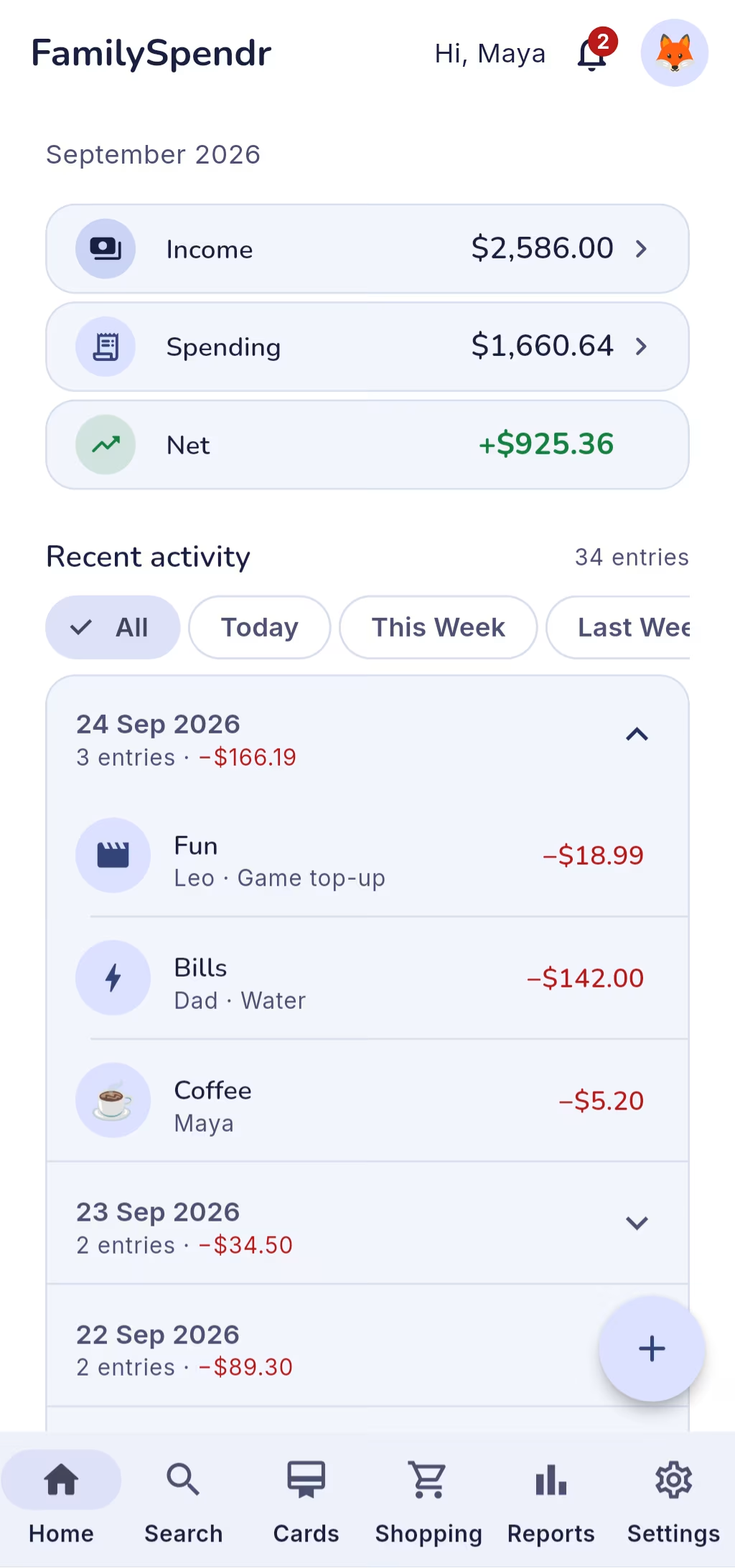
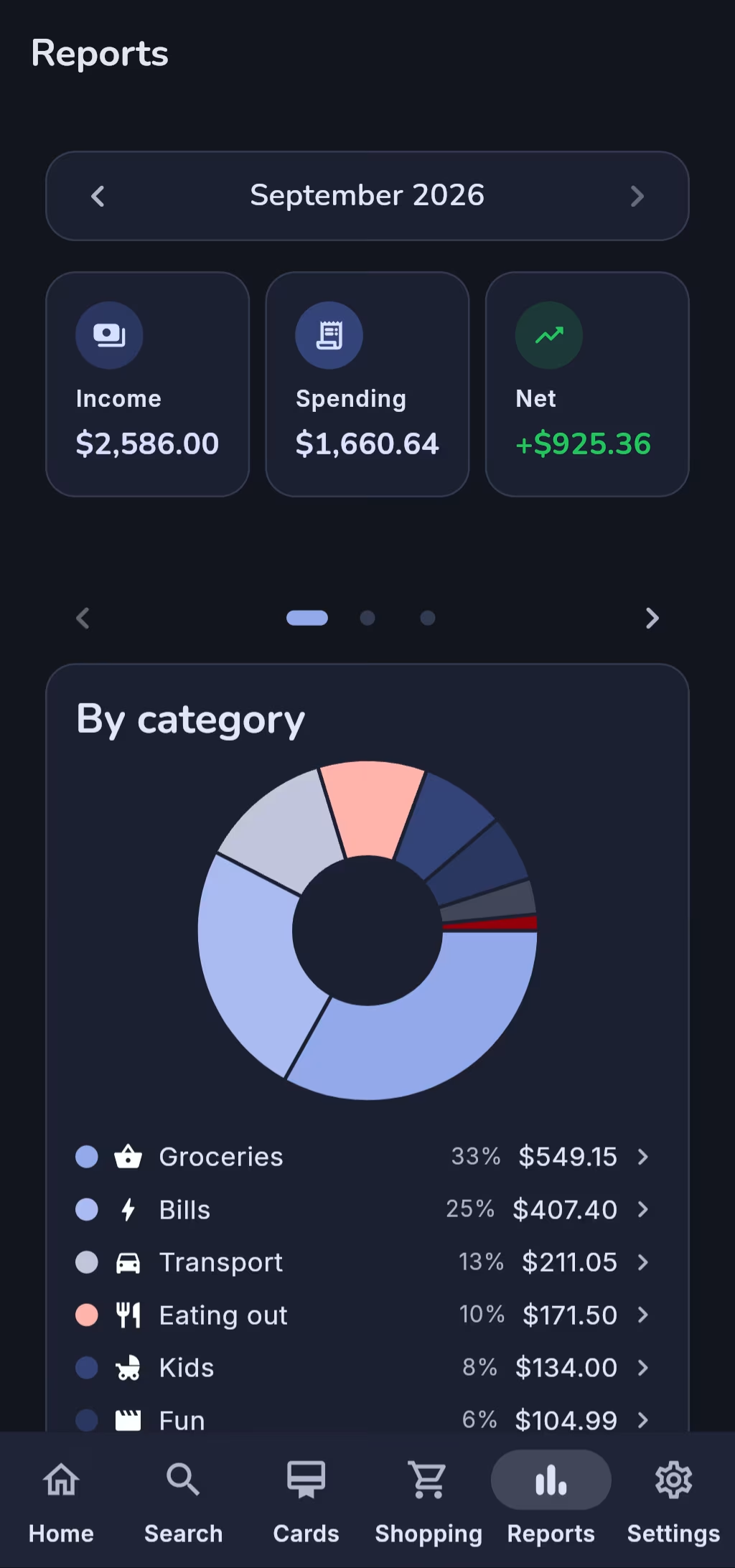
- Logged in seconds. Type the digits and the decimal point places itself. Pick a category and you’re done.
- Everyone in their own currency. Amounts convert at daily European Central Bank rates, and the original is always kept.
- No real names in the data. Your family sees a nickname and an emoji, nothing more.
- Free. No subscription, no ads, no upsell.
How it works
Set up the family once, then everyone logs as they go
Setup takes a couple of minutes on first sign-in.
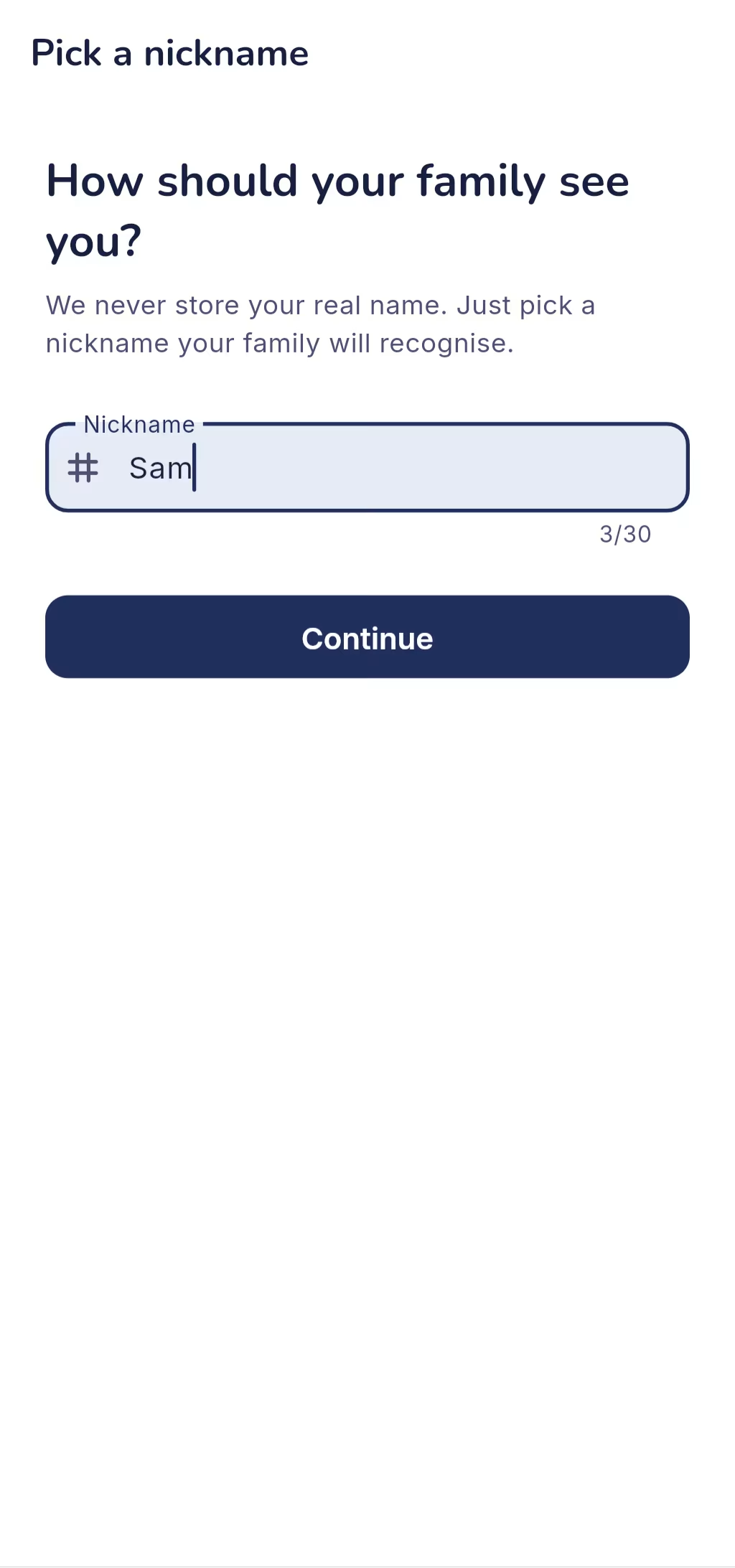
Sign in and pick a nickname
Sign in with Google, then choose the nickname your family will see; add an emoji avatar from the dashboard whenever you like. Your email isn’t copied into the app’s data.
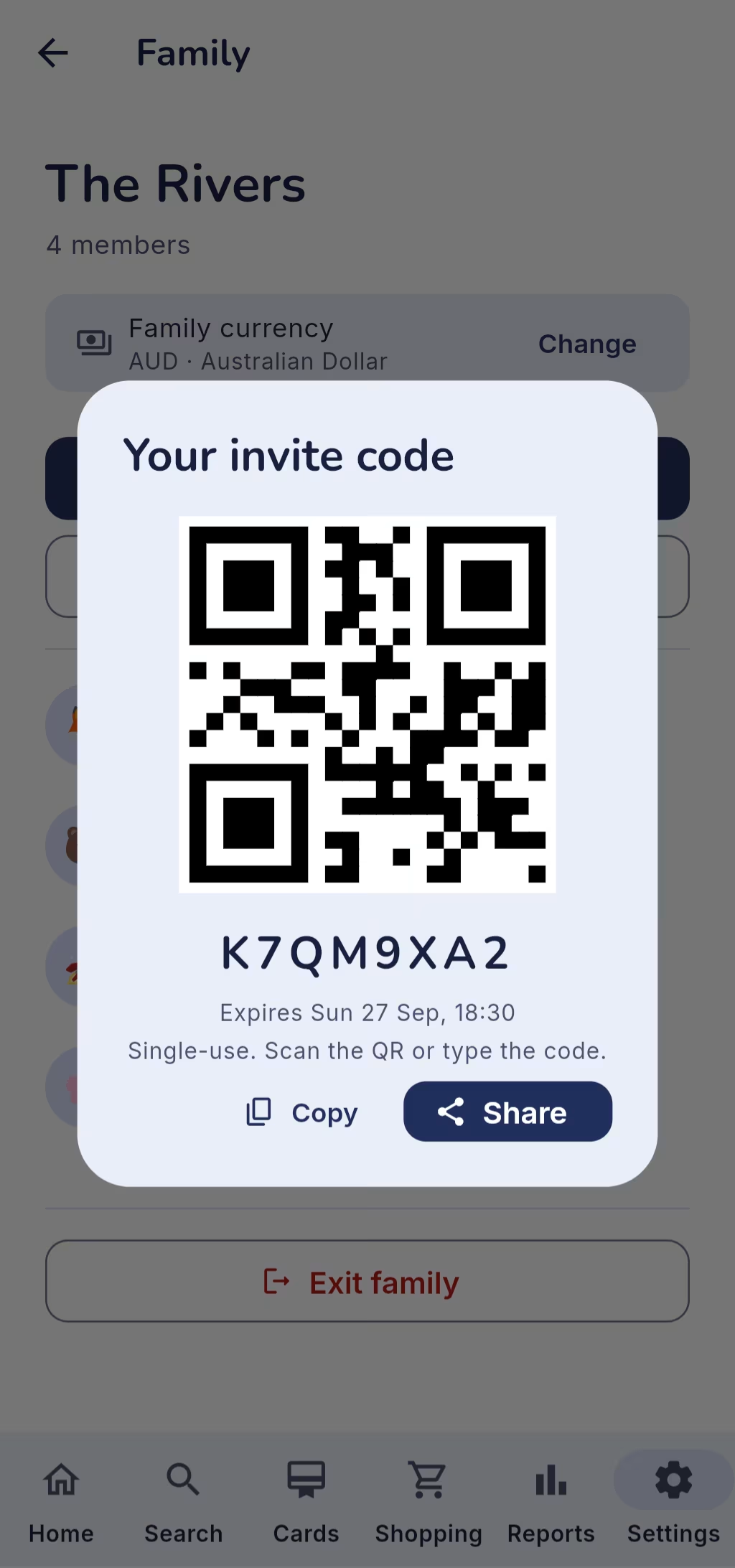
Create a family, or join one
Start a family and share its invite code: eight characters with a QR code beside it, single-use, valid for 72 hours.
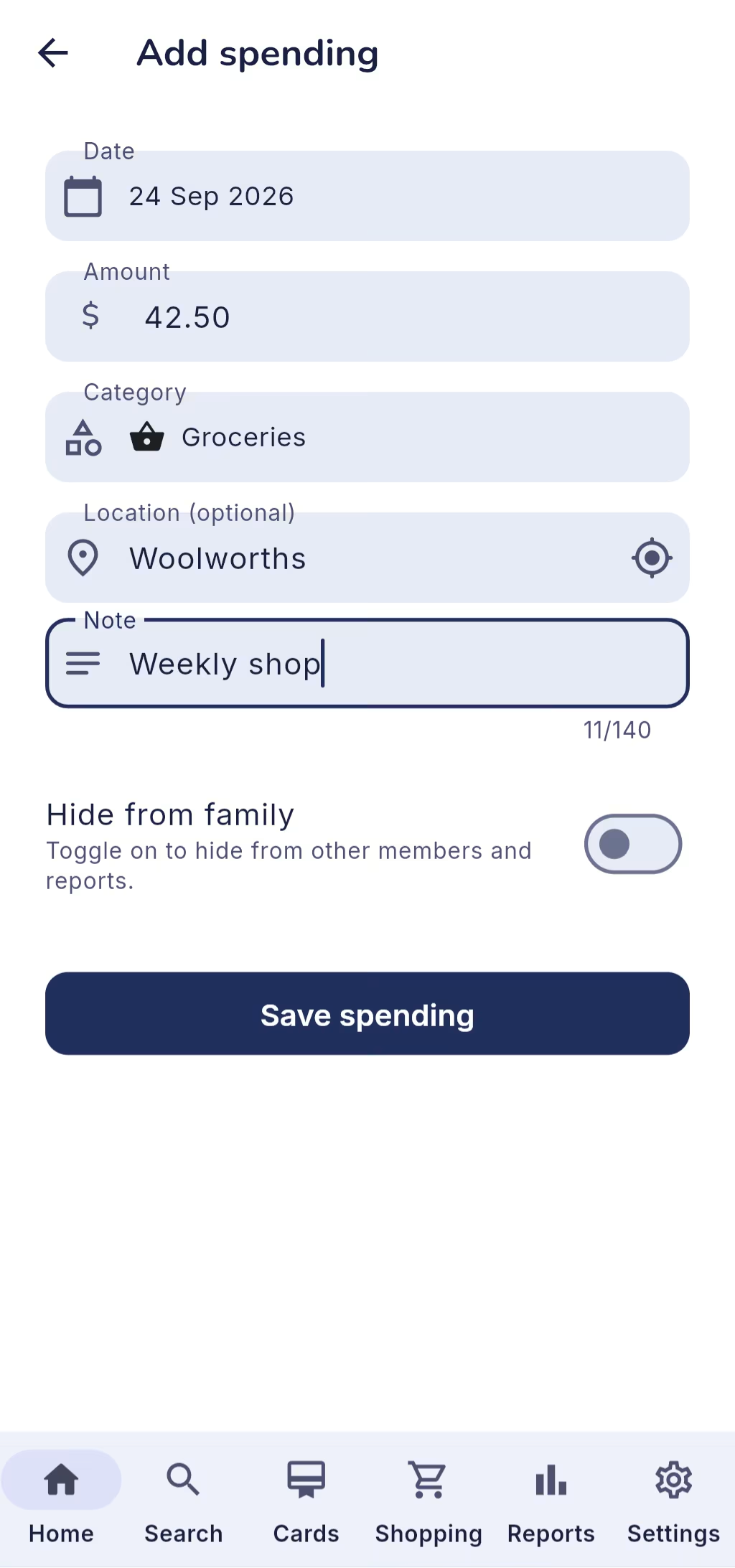
Log as you spend
Amount, category and, if you like, a place and a note. It’s on everyone’s dashboard straight away.
Features
Everything a shared family budget needs
One ledger for the whole family
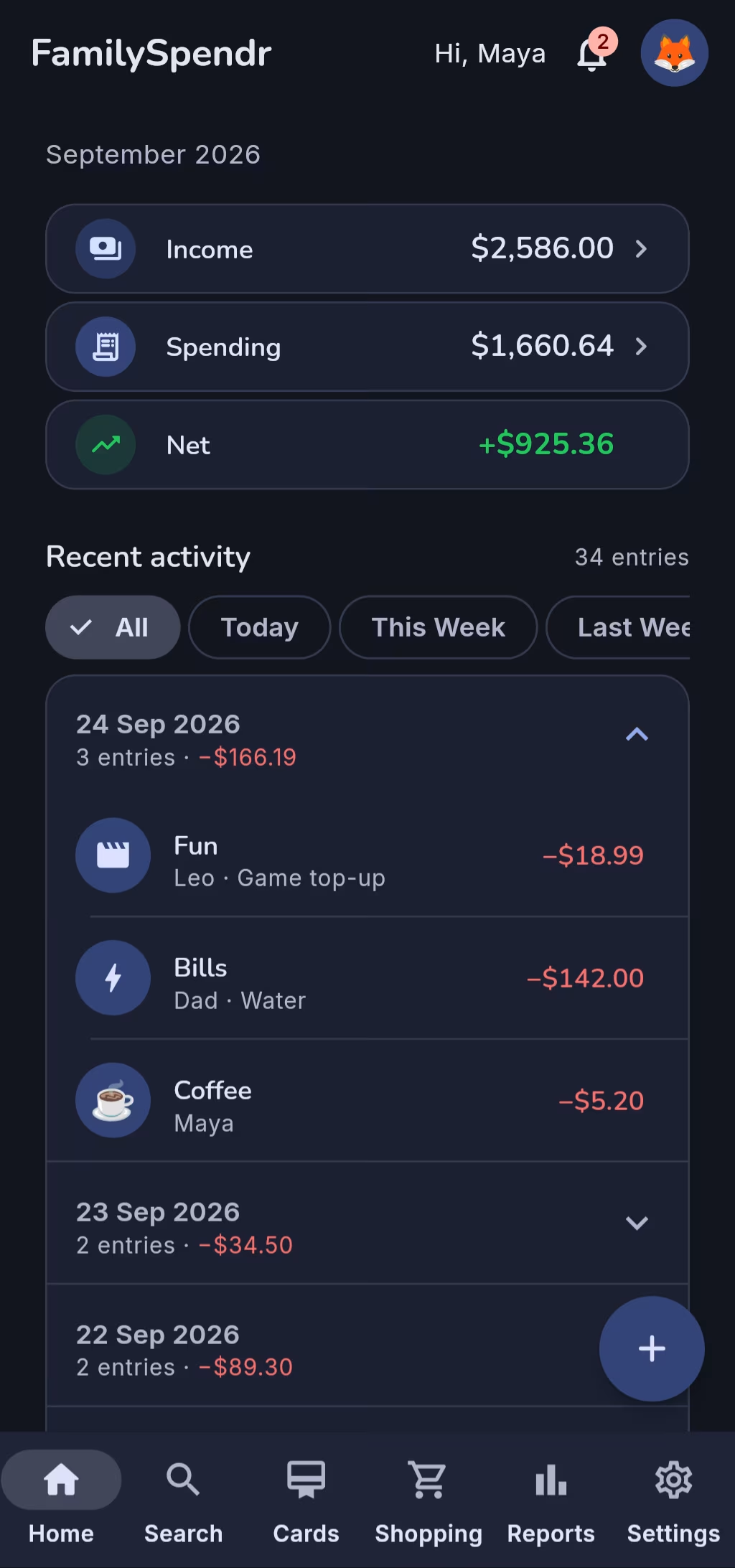
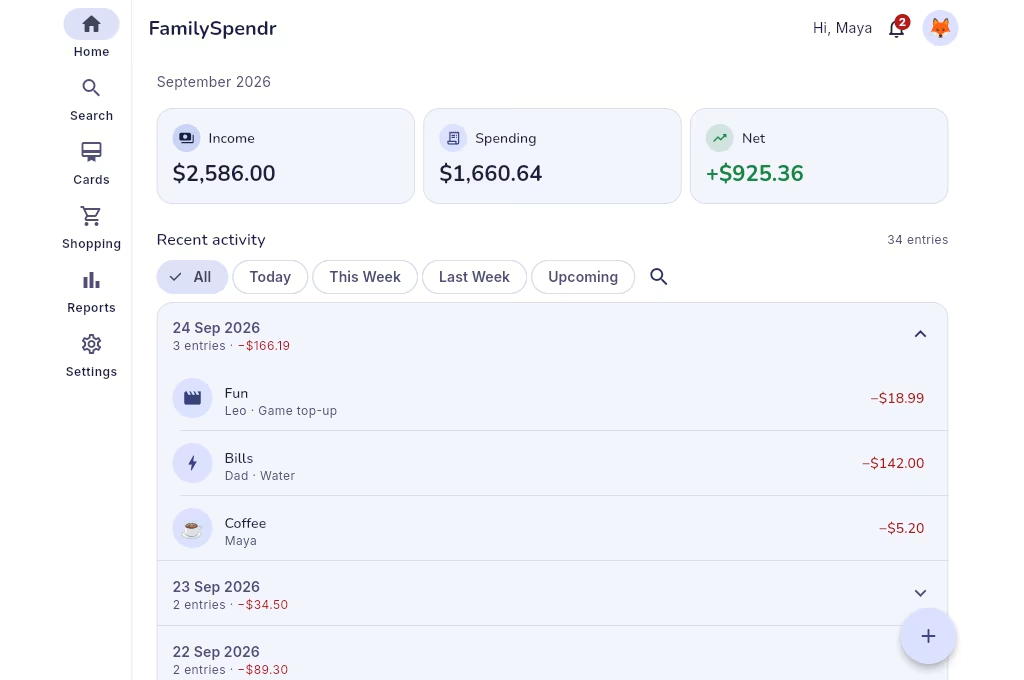
Spending and income from every member in one feed, grouped by day with daily totals, and filtered to today, this week or last week.
Each member’s own currency
Pick your currency in Settings and every list, total and report is shown in it. Fourteen currencies, including whole-unit ones like the rupiah and the yen.
Reports that answer “where did it go?”
The month’s income, spending and net, with charts by category, by member and by week. Tap a category or a member to see the entries behind it.
A shared shopping list
Assign items, talk them over in a comment thread, and see who ticked each one off and when. Everyone involved hears about it.
The family’s loyalty cards
Barcodes and QR codes in seven formats, ready at the checkout. Scan a card with the camera to add it, pin the ones you use most, and share each with everyone or just a few.
A notification board
The bell collects the family’s new entries and shopping activity and links straight to each one. Entries clear themselves after 90 days.
Also in the app
- Search across months by date, category, member, place or type
- The family creator can hide their own entries from everyone else’s lists and totals
- 163 built-in category icons, plus any emoji
- Places and income sources remembered as you type
- AI Insights from Google Gemini, with your own API key
- Nine languages
- Light, dark or automatic theme
- Six date formats and your choice of week start
Screenshots
Take a look inside FamilySpendr
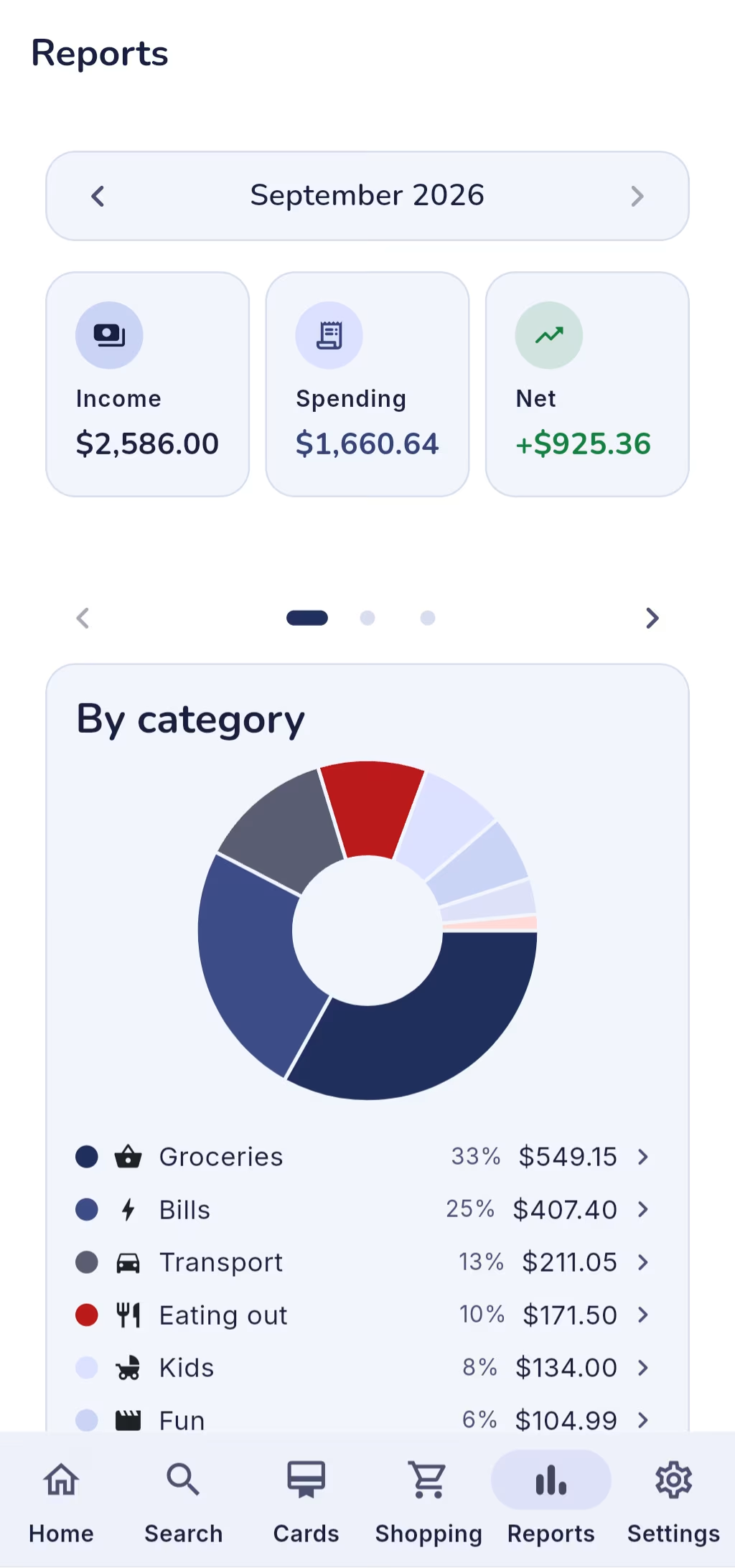
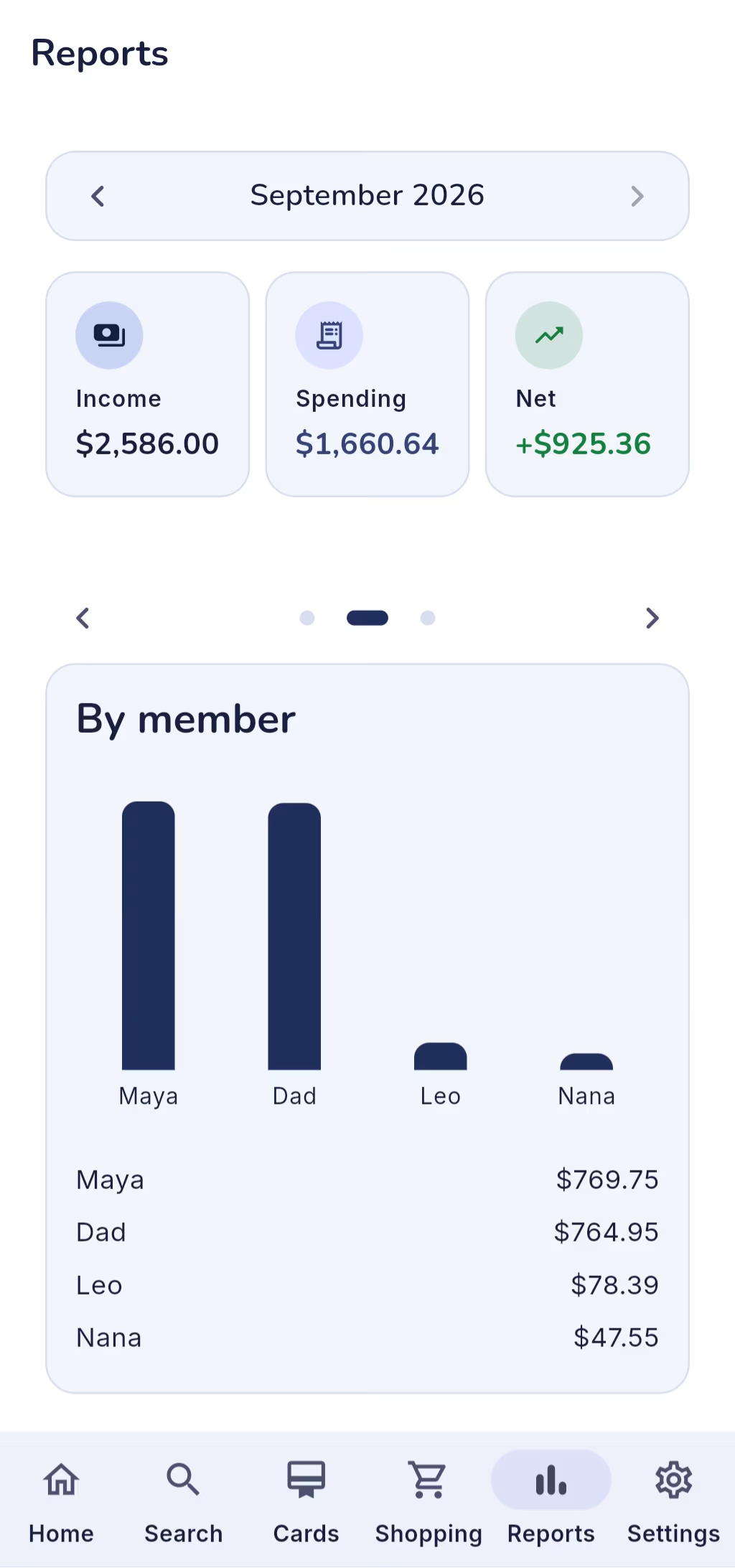
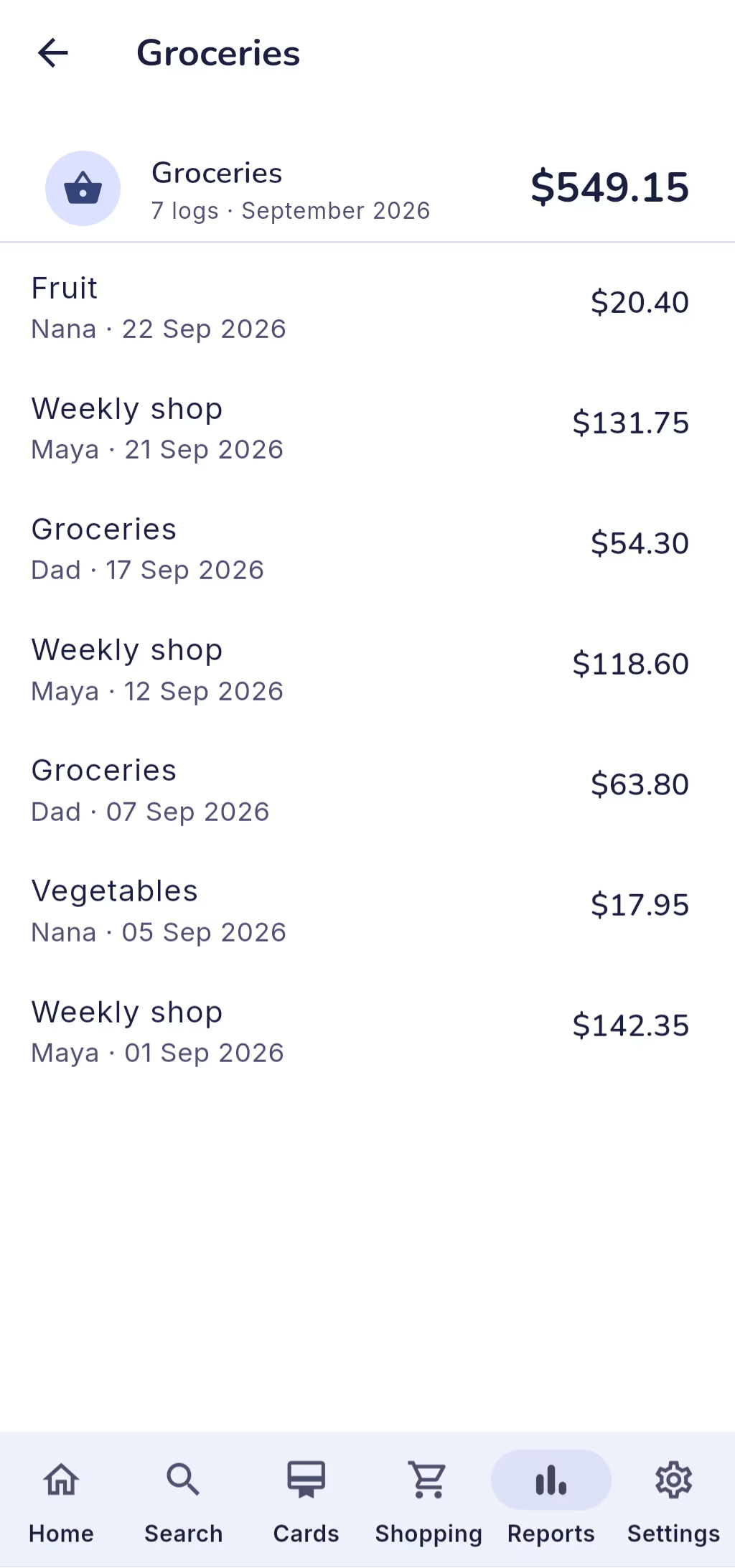
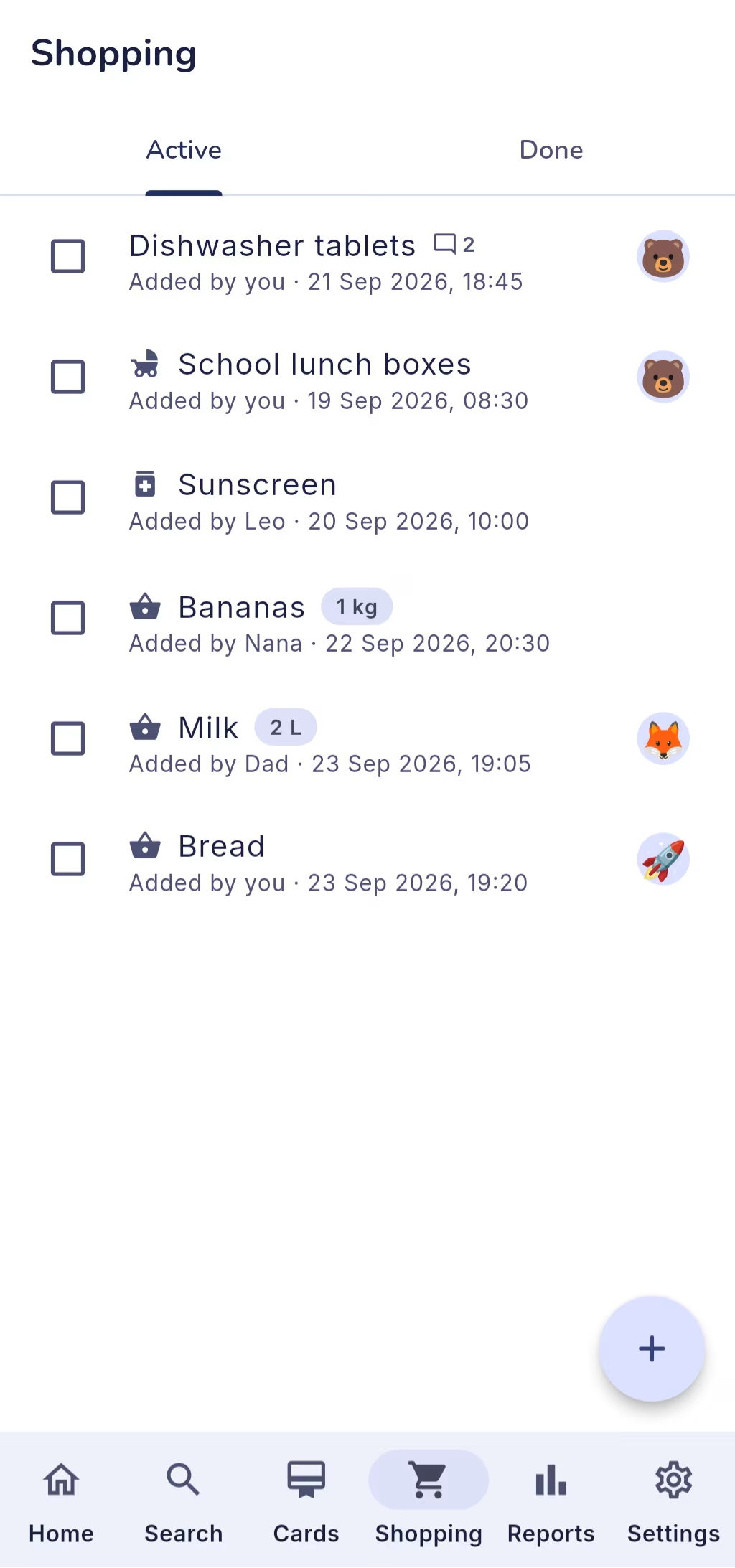
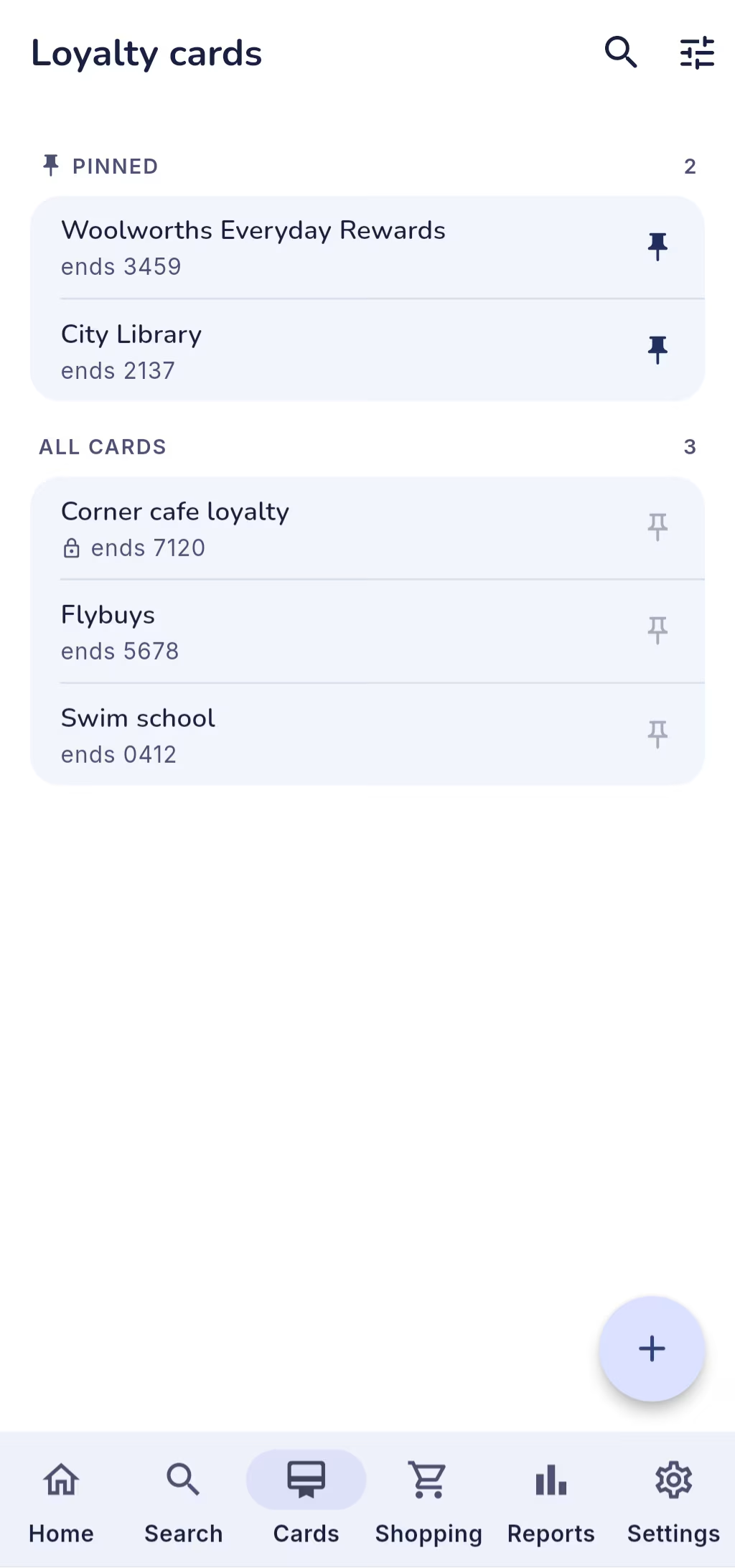
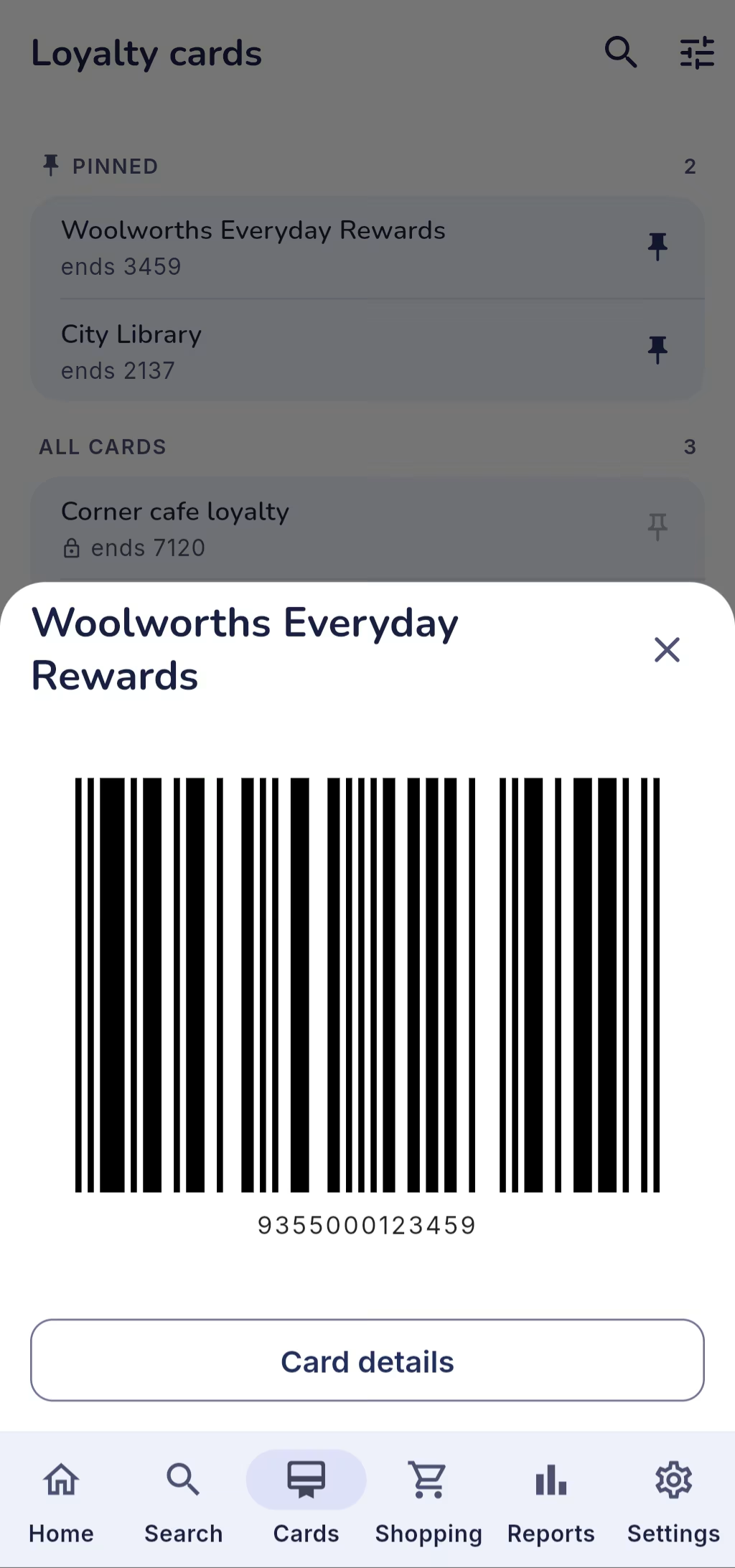
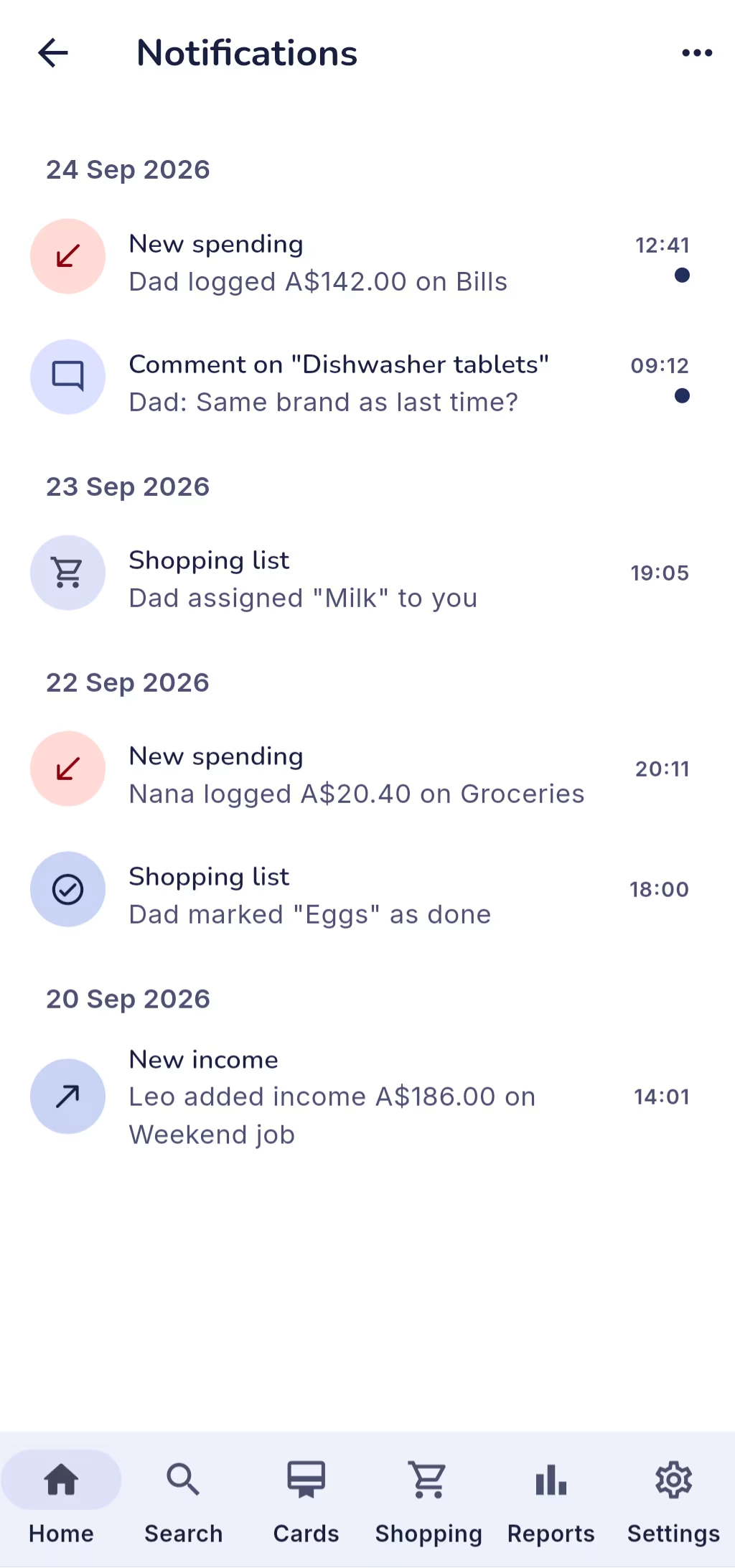
In your browser
On a laptop, a tablet or a phone
FamilySpendr runs in any modern browser, with nothing to install. On a wide screen the tabs move to a side menu and the dashboard uses the room.
Android and iPhone apps are in development. They add what only a phone can do: App Lock with Face ID or fingerprint, a daily spending reminder and push notifications.
Privacy
Your family’s numbers stay in the family
FamilySpendr has no analytics, no advertising and no tracking code. What you log can be read by the members of your family, and nobody else.
- No real names. In the app’s data you’re a nickname and an emoji: never your name, email address or phone number.
- Family-only access. Every record is locked by default and opened only to the members of its family.
- AI sees totals, not people. AI Insights sends category names and totals, never nicknames, notes or places.
- Your key stays with you. Your Gemini API key is kept on your device, or encrypted in your browser, and never reaches our servers.
FAQ
FamilySpendr questions, answered
Yes. There’s no subscription, no ads and no in-app purchase. If you’d like to support development, you can buy me a coffee.
No. Open familyspendr.com in any modern browser and sign in with Google. Android and iPhone apps are in development.
No. FamilySpendr never asks for bank details. Every entry is one somebody in your family logged.
The members of your family, and nobody else. Whoever created the family can also hide any of their own entries; hidden entries don’t appear in anyone else’s lists or totals.
Yes. Each member picks their own currency and sees everything in it, and the family keeps one main currency for its records, chosen by whoever created it. Conversions use daily European Central Bank rates from the free Frankfurter service, and every entry keeps its original amount and currency.
Create the family, then generate an invite code from the Family screen. The others sign in and type the eight-character code or scan its QR code. Each code works once and expires after 72 hours.
Only the month, your category names, the total for each category, and your total income and spending. It uses your own Gemini API key, which you create in Google AI Studio.
English, Bahasa Indonesia, Bahasa Melayu, Chinese (Simplified and Traditional), Japanese, Korean, French and Spanish. It follows your device’s language unless you pick one in Settings.
Both are in development. They’ll add App Lock with Face ID or fingerprint, a daily spending reminder and push notifications. Until then, FamilySpendr works in your phone’s browser.
You can leave from the Family screen at any time. If you’re the last member, leaving deletes the family with all of its entries, shopping items and comments. To remove your account completely, sign out, remove FamilySpendr’s access in your Google account, and ask us through the contact form to delete the rest.
Use the contact form on Windows-HQ.
Get started
Start your family’s ledger today
Open FamilySpendr, sign in with Google, and invite the family with a code.
- Free
- Runs in your browser
- Android and iPhone apps in development