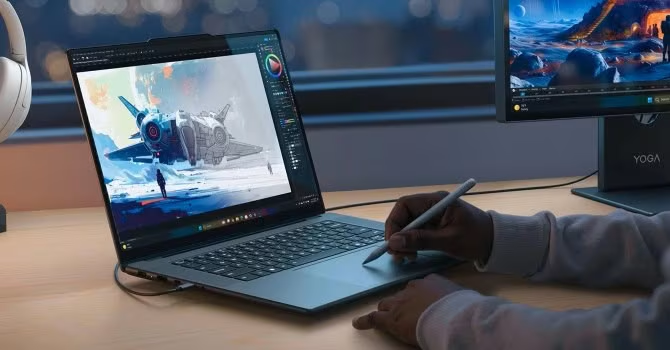
The Lenovo Yoga Pro 9i Gen 11 Aura Edition is presented as a high-end creator laptop, earning its reputation as Lenovo’s top consumer notebook. Its strengths rest upon a stunning 3.2K Tandem OLED display and robust performance driven by Intel Panther Lake processors paired with NVIDIA RTX 50-series graphics.
A crucial warning highlighted in the review concerns key configuration points: the headline Tandem OLED panel is optional, RAM is permanently soldered, and the RTX 5060 configuration has been deliberately tuned for sustained performance rather than peak gaming frame rates.
The defining feature is the 16-inch, 3,200-by-2,000, 120Hz PureSight Pro Tandem OLED touchscreen. This panel offers exceptional brightness, boasting 1,000 nits of typical SDR and 1,600 nits peak HDR brightness. It also provides 100% coverage across sRGB, DCI-P3, and Adobe RGB, features factory color calibration, and DisplayHDR True Black 1000 certification.
Buyers must be mindful that this superior Tandem OLED panel is optional; a standard alternative is available but is limited to 500 nits typical SDR brightness and 1,100 nits peak HDR. Furthermore, the screen is noted as being highly reflective glossy and not PWM-free, advising users sensitive to flicker to test it in person.
Under the hood, the machine utilizes Intel’s Panther Lake processors, specifically the Core Ultra 7 356H or Core Ultra 9 386H. These are paired with GeForce RTX options including the 5050, 5060, and 5070 Laptop GPUs. The Core Ultra 9 386H is a Copilot+ PC, featuring 16 CPU cores (four performance, eight efficiency, four low-power efficiency) and an NPU rated up to 50 TOPS.
Lenovo has prioritized sustained CPU performance for the Yoga Pro 9i. The Core Ultra 9 model sustains power around 65W average, maintaining a 4.292GHz P-core clock during a 30-minute full CPU load. While ideal for extended rendering and compiling, this workload results in average CPU temperatures reaching 94 degrees Celsius.
Regarding graphics performance, the RTX 5060 configuration is rated up to 100W. In tests, the Yoga Pro 9i scored 11,628 points in 3DMark Time Spy Graphics, which was approximately 10% less than a comparable Lenovo Legion Pro 5 setup. This deficit is attributed to Lenovo’s thermal and power-envelope choices, positioning the machine as capable but not class-leading for gaming.
The RTX 5070 option, equipped with 12GB of GDDR7 VRAM, offers more credibility for GPU-heavy local AI, 3D work, and complex timelines, particularly because the additional VRAM can prevent spills into slower system memory.
Hardware components include an unusual large, buttonless glass Force Pad. This pad functions not only as a haptic touchpad but also as a drawing surface when used with the included Yoga Pen Gen 2, automatically disabling normal input during use.
The keyboard design omits a numeric keypad to accommodate front-facing speakers. In terms of memory and storage, the machine uses either 32GB or 64GB of soldered LPDDR5X-7467 memory, meaning the installed capacity is permanent. For demanding tasks like virtual machines or Adobe applications, 64GB is recommended.
While system RAM is permanent, the laptop remains upgradeable via two M.2 slots (one 2242 and one 2280-capable), allowing for a second internal SSD which can be useful for separating project files from system storage.
The ports are robust, featuring two Thunderbolt 4 ports, two 10Gbps USB-A ports, HDMI 2.1, and a UHS-II SD reader. The battery capacity is 92.5Wh, resulting in an impressive measured duration of 14 hours and 25 minutes of offline video playback at 180 nits in SDR.
Pricing for the Yoga Pro 9i Aura Edition starts at $1,899.99 in the U.S. However, buyers looking to maximize performance should note that the top configuration—including Core Ultra 9, RTX 5070, 64GB RAM, and 3.2K Tandem OLED—costs significantly more.
The review advises purchasing enough soldered memory for the laptop’s expected lifespan, verifying the panel type upon purchase, and assessing the RTX option based on its 100W implementation rather than solely by the GPU label.