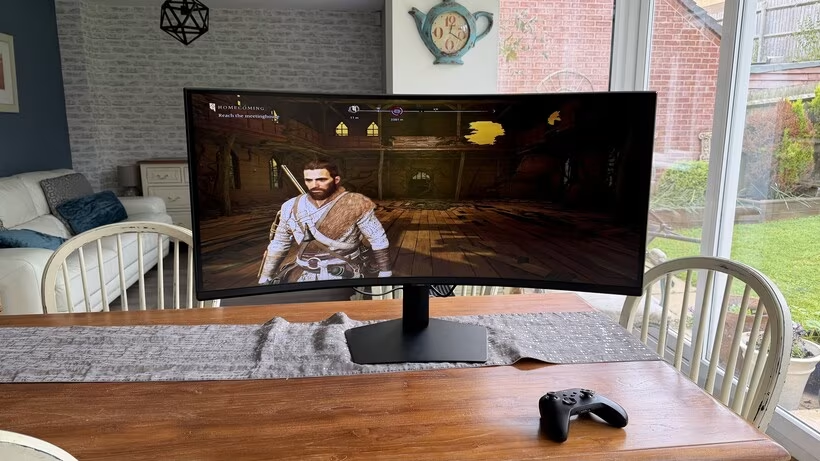
The Samsung ViewFinity 40S85TH is positioned as a premium workspace monitor, priced at £1,199, and has earned a 4.5-star Recommended score. It features a massive 40-inch ultra-wide display with a 21:9 aspect ratio and an aggressive 1000R curve. The primary appeal of this monitor is creating a deeply personalised, immersive working environment, focusing on productivity and stress reduction rather than pushing raw specifications or gaming performance, although it handles these functions well.
The design emphasizes flexibility and ease of setup. Setup is streamlined by requiring no screws; the monitor locks into place with a single 90-degree twist in a minute or two. Connectivity options are comprehensive, including Thunderbolt 5 with 80Gbps data transfer and daisy-chaining support, 140W charging, USB-C, DisplayPort 1.4, HDMI 2.1, Ethernet, and multiple USB-A ports for easy access.
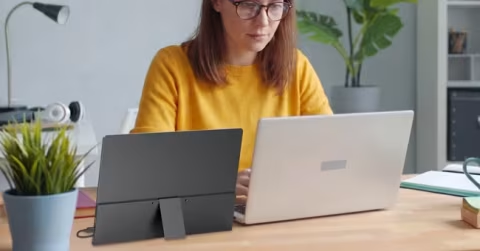
The screen’s aspect ratio fundamentally improves the working experience by allowing multiple documents and windows to coexist without clutter. The 1000R curvature wraps the image into peripheral vision, fostering an immersive sense of focus and efficiency. This combination delivers the productivity and stress reduction that Samsung markets, offering improved workflow comfort after extended use.
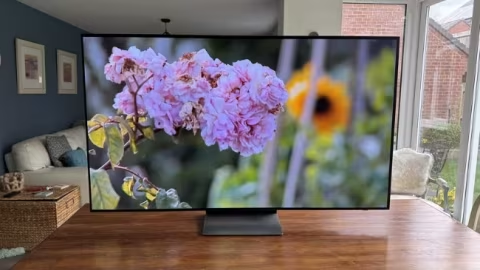
The display resolution is 5120×2160 5K2K, ensuring sharp and crisp visuals across the entire screen. The VA panel technology provides strong contrast with deep blacks and rich tones, contributing to a soothing visual experience during long working sessions.
Eye-care features are integrated into the monitor. Certified by TUV, it automatically adjusts brightness and colour temperature based on ambient lighting conditions, including low-light scenarios. It also includes an Eye Saver Mode for blue-light filtering and a flicker-reduction option to alleviate discomfort during extended use.
Colour accuracy is high, covering 99.56% of the Rec 709 spectrum, 94.21% of the P3 spectrum used in HDR mastering, and 89.53% of Adobe RGB. However, default presets do not achieve reference-level accuracy, with Delta E 2000 errors averaging between 8.65 and 12.28 in SDR modes, though calibration can improve this.
Regarding brightness, the monitor operates at just over 250 nits peak, which is below Samsung’s claimed 350 nits and less than what is preferred for HDR gaming or video. This limitation is deliberate, as it avoids glare and fatigue during long work periods.
Contrast ratios are substantial, measuring 4,300-4,500:1 in SDR modes, and jumping to 7,300-7,600:1 with HDR. The monitor supports smooth gaming at 120-144Hz due to the curvature and ultra-wide canvas.
Despite the performance, some limitations exist for intensive visual tasks; the 4ms grey-to-grey response time and limited brightness make spotting objects in dark areas challenging compared to dedicated gaming monitors. The HDR brightness cap also reduces visual impact when compared with brighter competitors.
Built-in audio features 5W of sound, providing good impact sounds like gunfire and explosions, though the sound projection is centered rather than spread left and right. Samsung’s Display Manager software for Windows and macOS assists usability in split-screen workflows and fine-tuning brightness or colour.
At a price point of £1,199 (or £1,999 in some territories), the monitor offers genuine value for users seeking a specialist workspace display tailored for long working hours. It delivers elevated productivity, reduced fatigue, and immersive qualities that offer value beyond raw specifications.