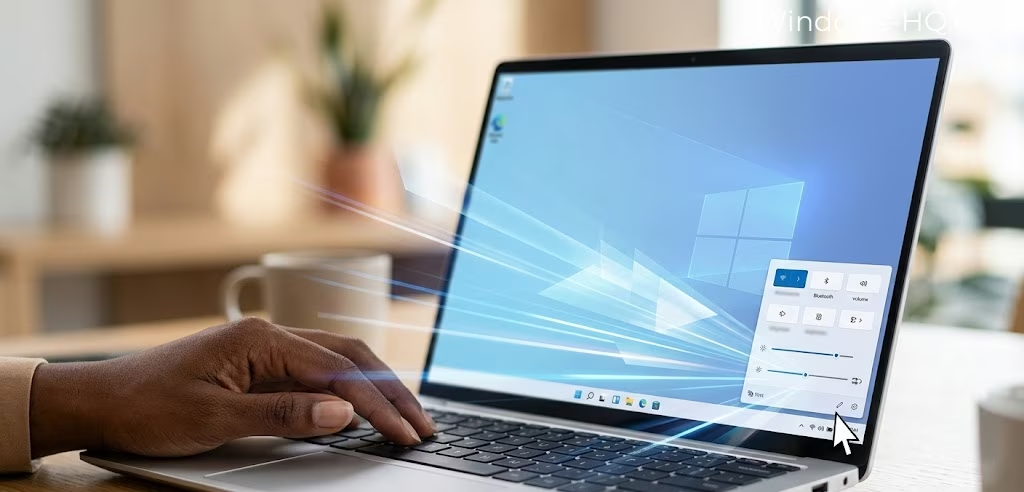
Microsoft is finally addressing one of the most persistent frustrations for Windows 11 users: the sluggishness of core interface elements. The company has confirmed it is testing a revamped version of the Quick Settings panel, aiming to eliminate the noticeable lag that occurs when users attempt to toggle Wi-Fi, adjust sound, or check battery status. Currently, these menus often take several seconds to appear, with individual items frequently loading in stages, creating a disjointed user experience.
The internal goal at Microsoft is reportedly “instant” loading. This target applies not just to the initial click but also to the sub-action pages within the panel. Currently, users often encounter a delay when switching between Wi-Fi networks or disconnecting Bluetooth devices, where the UI fails to reflect the actual state of the hardware in real time. The upcoming patch is specifically designed to synchronize the visual interface with the system’s background processes more effectively.
This performance push is part of a broader commitment to refining the operating system throughout 2026. Microsoft has signaled that the Start menu, taskbar, and File Explorer are all slated for significant optimizations. Among these changes is a high-priority fix for the right-click context menu. Since the launch of Windows 11, the “modern” right-click menu has been criticized for being slower than its predecessor; Microsoft now intends to ensure these options load faster across the entire OS.
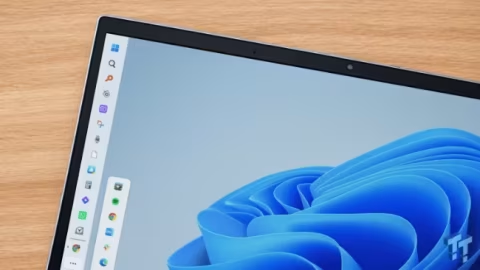
Beyond mere speed, the 2026 roadmap includes several highly requested quality-of-life adjustments. Perhaps most notable is the confirmed ability to move the taskbar, a feature that has been missing since the OS debuted. Microsoft is also looking to scale back on some of the more aggressive aspects of the system, including a reduction in integrated advertisements and upsells, as well as a more streamlined approach to AI and Copilot features that some users found overbearing.
These updates represent a shift in Microsoft’s strategy, moving away from feature bloat and toward a snappier, more utilitarian environment. By focusing on the “micro-moments” of interaction—like a right-click or a volume adjustment—the company hopes to win back enthusiasts who felt the initial version of Windows 11 sacrificed responsiveness for aesthetics.
While eighteen major features have already been confirmed for the 2026 release cycle, insiders suggest the list is still evolving. The emphasis on UI performance indicates that Microsoft is listening to telemetry data and user feedback regarding the “heaviness” of the current interface. For those who have been holding onto Windows 10 for performance reasons, these optimizations might finally provide a compelling reason to make the jump.
Testing is currently underway in internal builds, with the refined Quick Settings expected to hit public beta channels later this year. As Microsoft prepares for the 2026 rollout, the focus remains clear: making Windows 11 feel as fast as the hardware it runs on. For a system that has often felt bogged down by its own visual flourishes, an “instant” UI could be the most important feature of all.
Ultimately, this cleanup effort suggests a more mature phase for Windows 11. Instead of chasing the next big trend, Microsoft is doubling down on the fundamentals. If they can successfully deliver an OS where every click feels immediate and the taskbar once again offers flexibility, 2026 could be the year Windows 11 truly finds its rhythm.