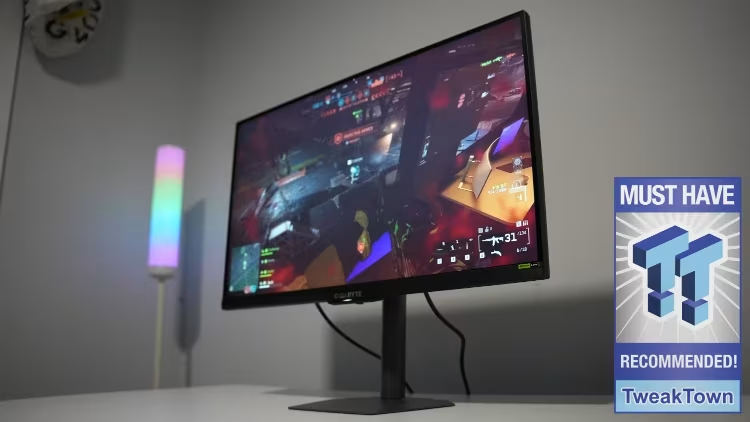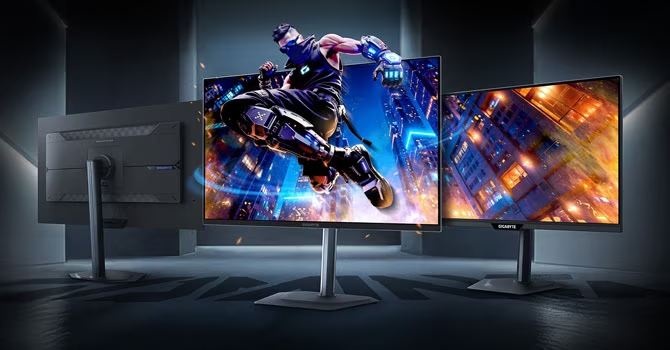
The Gigabyte MO27Q2A is an update of the MO27Q2, featuring several incremental upgrades. These improvements include an increased refresh rate from 240 Hz to 280 Hz and an upgrade of the VESA ClearMR certification from ClearMR 13000 to ClearMR 15000. Other features, such as the Samsung QD-OLED panel, the stand mechanism, port selection, thermal management, and OLED Care feature set, remain unchanged from the predecessor.
When evaluating the MO27Q2A as a standalone product, its positioning within the Gigabyte OLED lineup is key. Compared to the GO27Q24G, a $500 27-inch LG WOLED monitor, the MO27Q2A offers several additions. These include a working USB hub, a KVM switch, and two 5 W speakers. Additionally, the MO27Q2A increases the refresh rate by 40 Hz and boosts USB-C power delivery from 15 W to 18 W.
However, the MO27Q2A trades away some features present in the comparison model. Specifically, it lacks the WOLED panel’s built-in circular polarizer, which helps WOLED displays maintain deep, neutral blacks under ambient room lighting. Furthermore, the MO27Q2A’s bare glossy surface is described as the most reflective surface encountered on any tested OLED monitor to date.
The panel itself is Samsung Display’s third-generation QD-OLED in the 27-inch 1440p format. This underlying panel technology was first introduced at 360 Hz in 2024 and is now available in lower refresh-rate options. The 280 Hz version utilizes a triangular RGB arrangement for its subpixel layout, common to all currently available 27-inch 1440p QD-OLED panels.
Priced at $600 in the US and €450 in Europe, the MO27Q2A is positioned above the cheapest 1440p OLEDs but below higher-tier panels and $100 more expensive than Gigabyte’s WOLED alternative.
Initial tests showed improvements in color accuracy and calibration. Two OSD adjustments successfully reduced average grayscale ∆E from 4.82 (at factory defaults) to 1.36, with a maximum of 1.72. Whites approached the D65 target, and the warm cast of the ECO profile disappeared. Color accuracy against sRGB targets was maintained at 4.28 average ∆E in Custom mode, with residual error attributed to the native wide gamut’s push beyond sRGB boundaries.
In terms of performance, the monitor delivered strong gaming capabilities. It achieved an average perceived response time of 0.89 ms, indicating clean motion across all content types. The on-display input lag was measured at 2.42 ms. The 280 Hz refresh rate is a noted improvement for competitive players running frame rates above 240 FPS, and Variable Refresh Rate (VRR) operated smoothly across the full 48-280 Hz range.
Feature-wise, the MO27Q2A addresses practical shortcomings noted in the GO27Q24G. The monitor includes a functioning USB hub and a KVM switch that operates without manual toggling. It also features integrated 5 W speakers for casual audio use. The Gigabyte Control Center installation is reported as clean, and the OSD Sidekick module mirrors the physical menu in a desktop interface. HDR performance was solid, with the standard mode maintaining a flat plateau around 410 cd/m² and Peak 1000 delivering 910 cd/m² for gaming highlights, falling just short of the rated 1,000 cd/m².
Critically, the glossy surface presents a disadvantage. QD-OLED panels already lack ambient light protection. The MO27Q2A’s bare glossy coating is the most reflective tested by the reviewer. This, combined with an SDR brightness ceiling of around 230 cd/m² in Custom mode, limits its ability to counteract strong room lighting. In contrast, the GO27Q24G’s WOLED polarizer and RealBlack coating are noted as practical advantages for users who cannot control ambient light.
Ultimately, the decision to purchase the MO27Q2A over the GO27Q24G depends on environmental factors. If a user can control the ambient light in their setup, the MO27Q2A justifies its higher premium ($100 more) through its expanded features. Conversely, if the room lighting is variable or bright, the GO27Q24G is deemed the more forgiving option for less money.