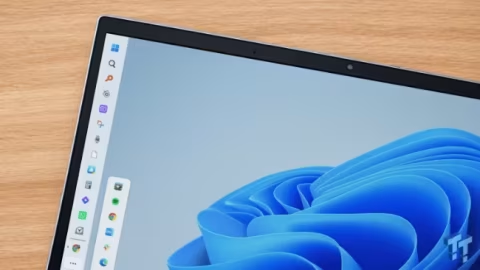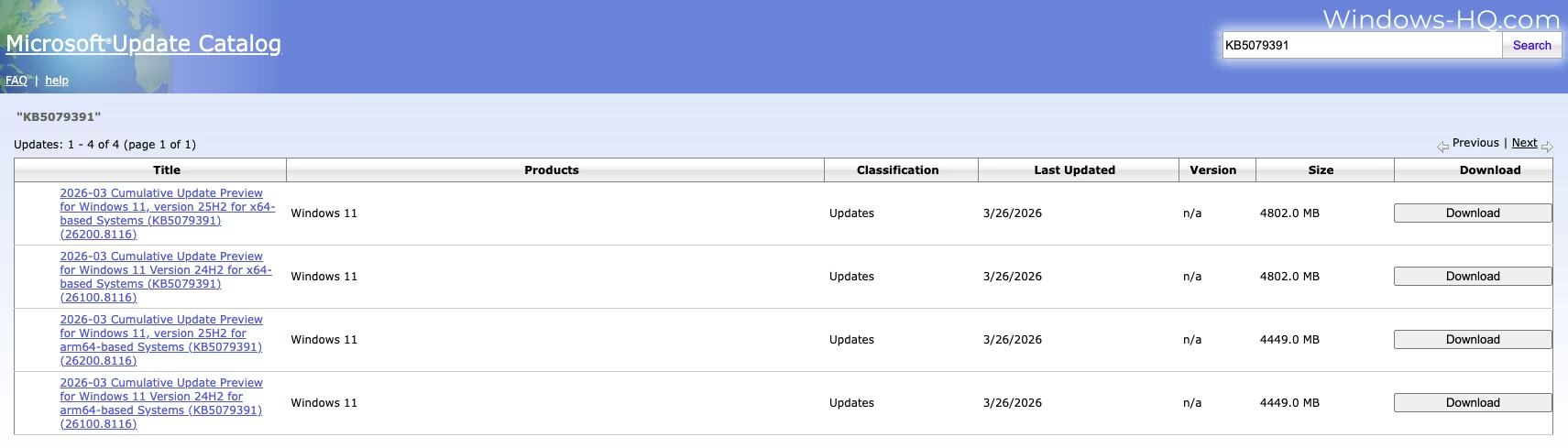
Microsoft has released the “2026-03 Preview Update (KB5079391) (26200.8116)” for Windows 11 as an optional update. This release includes direct download links for offline installers (.msu) and introduces significant improvements such as support for 1000 Hz refresh rate monitors and the ability to toggle Smart App Control without reinstalling the operating system.
The update bumps Windows 11 25H2 to Build 26200.8116 and Windows 11 24H2 to Build 26100.8116. It can be downloaded manually by selecting the “Download & update” button in Settings under Windows Update. For users with the “Get the latest updates as soon as they’re available” toggle enabled, the update will install automatically. Otherwise, these changes will be bundled into the Patch Tuesday release scheduled for April 14, 2026.
The offline installer for this optional update measures 4.8GB when downloaded via the Update Catalog, which is roughly 200MB larger than previous updates. However, users installing directly through Windows Update will experience significantly smaller download sizes.
A major feature rolling out gradually in this update is support for 1000 Hz refresh rate monitors. Users with supported hardware, such as the Acer Predator XB273U F6 announced at CES 2026, will require this build to utilize the maximum refresh rate capabilities.
Additionally, the update addresses previous limitations with Smart App Control (SAC). Initially disclosed in January 2026, the company is now enabling users to turn this security feature on or off directly through the Windows Security app without needing to reset or reinstall the operating system.
Smart App Control is designed to block malicious software but occasionally flags legitimate applications as potentially unwanted. With this update, if SAC is disabled or enabled by default, users can freely toggle its status via the Settings menu under Windows Security and App & Browser Control.
The Settings app also receives several functional enhancements. Users can now upgrade their Microsoft 365 Basic plans directly from the Accounts section. Additionally, the Accounts and About pages have been restructured for quicker access to device specifications and storage settings, while the Settings home page now features a ‘Device’ card for more users.
File Explorer has been improved, specifically addressing an issue from the October 2025 update that blocked previews of internet-downloaded files to prevent NTLM attacks. The process to unblock these files manually and restore preview functionality is now more reliable.
Other File Explorer updates include Voice Typing compatibility with advanced controls, allowing users to rename files using voice commands. The “Advanced Security Settings” pop-up now also permits users to sort permissions.
Display and power management features have been refined. Monitors using a USB4 connection will now consume less power, as the USB controller automatically enters the lowest power state when Windows 11 goes to sleep. The update also improves display rotation support upon waking from sleep and enhances HDR reliability on certain monitors.
Rounding out the update are several bug fixes. These include resolving an unstable taskbar in Safe mode, fixing Voice Access difficulties with reading and writing English numbers, improving Start menu Group Policy updates, and enhancing Windows Hello reliability. Additionally, it resolves an issue where the system file checker incorrectly displayed an extraneous error message on healthy systems.