Microsoft is implementing a faster File Explorer feature for Windows 11 that no longer requires users to join the Insider Program to access. This change will be part of the optional June 2026 update (KB5095093 / Build 26200.8737) and subsequently bundled into the July 2026 cumulative update.
While KB5095093 may not appear to be a major release due to its lack of flashy new features, it includes several noteworthy system improvements, particularly concerning File Explorer performance.
The rollout focuses on genuine underlying performance enhancements, addressing foundational issues rather than relying solely on preloading. While Microsoft previously reported testing File Explorer preloading—a feature that allows the application to run automatically in the background for faster launching—critics argued that fixing fundamental flaws was necessary alongside this improvement.
With the release of KB5095093 / Build 26200.8737, Microsoft has shipped actual File Explorer performance improvements. Users should notice that the application loads faster through these underlying fixes, especially in modern areas and within the “Home” tab.
Previously, many of File Explorer’s performance issues were linked to the somewhat cluttered “Home” tab, which was reported to take longer than the original “This PC” tab. The new update includes changes to this Home tab to prevent it from slowing down the entire Explorer experience. Additionally, Microsoft noted that the update improves the speed and performance of File Explorer launch.
Other enhancements include increased reliability in the address bar and faster display of suggestions within it.
For users mounting disk images, an issue causing File Explorer to become unresponsive or slow was addressed in today’s update, improving overall responsiveness.
The release also contains several fixes related to file and folder renaming. A patch was applied to resolve an issue where text would be incorrectly selected when renaming items within folder views. Furthermore, a bug that prevented case-only name changes from being reflected in folder views has been fixed.
Functionality improvements include the ability to navigate different folders using double backslashes and quotation marks in the address bar.
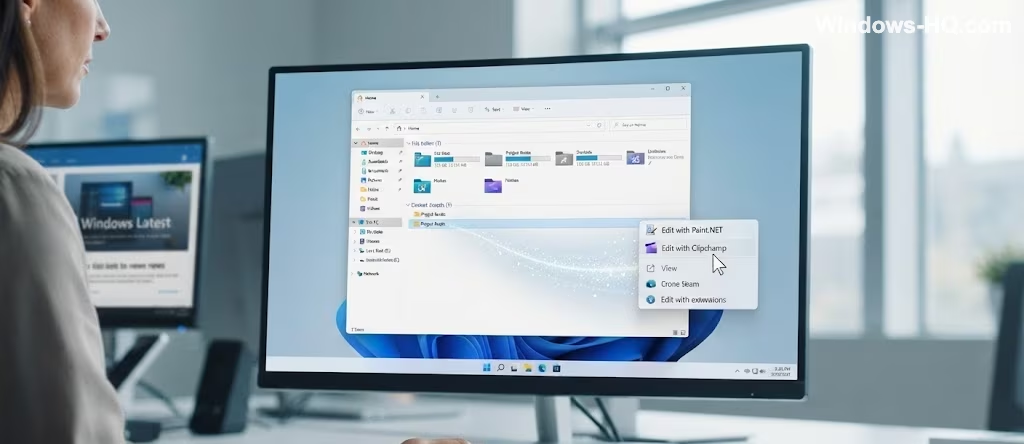
Looking ahead, Microsoft plans further significant updates, including making the right-click (context) menu within File Explorer load almost instantly. This improvement specifically addresses the current issue where certain extensions—such as Edit with Paint.NET, Edit with Notepad, and Edit with Clipchamp—can take several seconds to appear in the context menu.