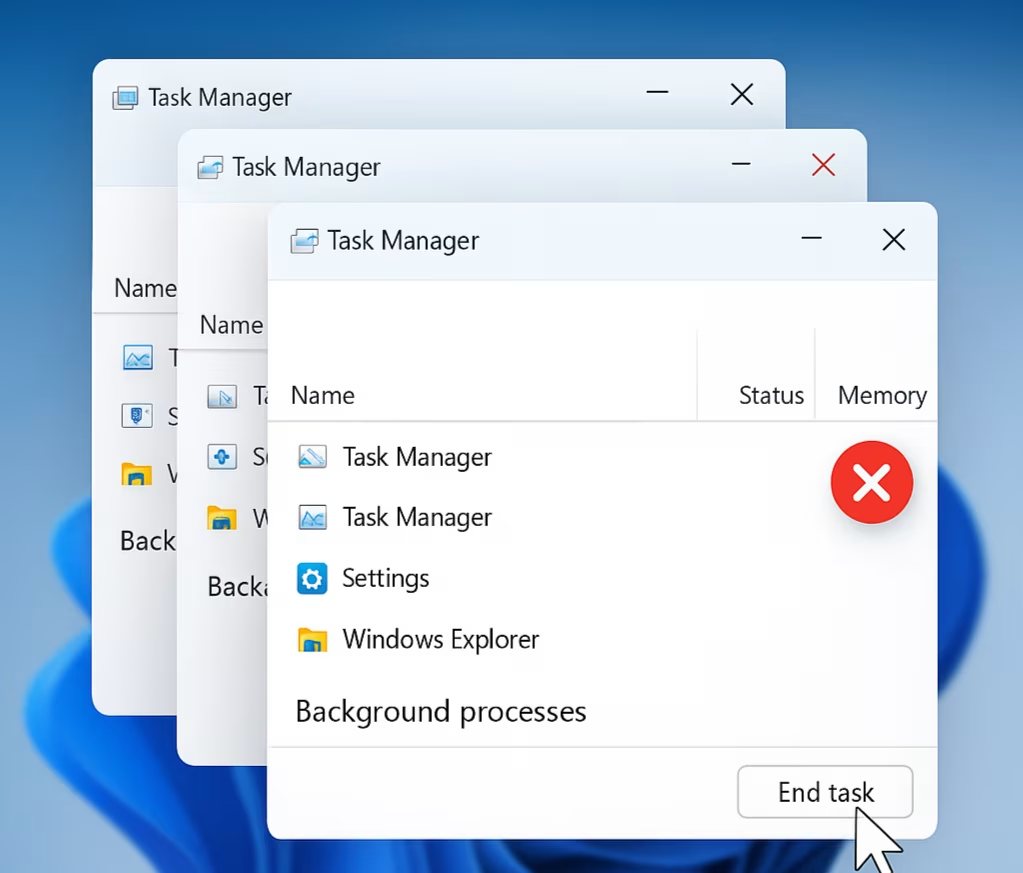
A new bug in Microsoft’s latest optional Windows 11 update, KB5067036, is causing major issues for users who frequently rely on the Task Manager tool. Reports from Reddit users and technology journalists indicate that the problem causes Task Manager to duplicate itself every time a user tries to close it.
When users click the “X” button to exit Task Manager, the app fails to close properly. Instead, it remains active in the background, and each attempt to reopen and close it creates a new instance. This bug quickly leads to multiple Task Manager windows running simultaneously, consuming system resources such as CPU and RAM.
Ironically, the update was supposed to fix Task Manager issues, specifically a problem where some apps weren’t being grouped with their related processes. However, there was no mention of any changes that might cause this duplication issue.
As of now, Microsoft has not acknowledged the bug, and the official KB5067036 update log still states that there are “no known issues” with the release. This lack of recognition has left users frustrated, particularly those who depend on Task Manager for system monitoring or troubleshooting.
Fortunately, there are temporary workarounds that users can apply. One method is to manually close each Task Manager instance by using the “End task” button inside the app instead of clicking the window’s close icon.
Another, more efficient workaround involves using the Command Prompt. By executing the command taskkill /im taskmgr.exe /f, users can forcefully terminate all Task Manager processes at once, effectively resetting the tool.
Community members and sources like Windows Latest and Reddit user BNSoul have been instrumental in sharing these solutions while Microsoft remains silent. Many users are now advising others to avoid installing the KB5067036 update until a fix is officially released.
The duplication bug may not cause permanent damage but can lead to noticeable system slowdowns due to the increased resource usage. For users on devices with limited RAM or processing power, this could significantly impact performance.
Until Microsoft releases a patch or an updated build to address this issue, affected users are encouraged to use the command-line workaround and monitor system updates closely before applying new patches.