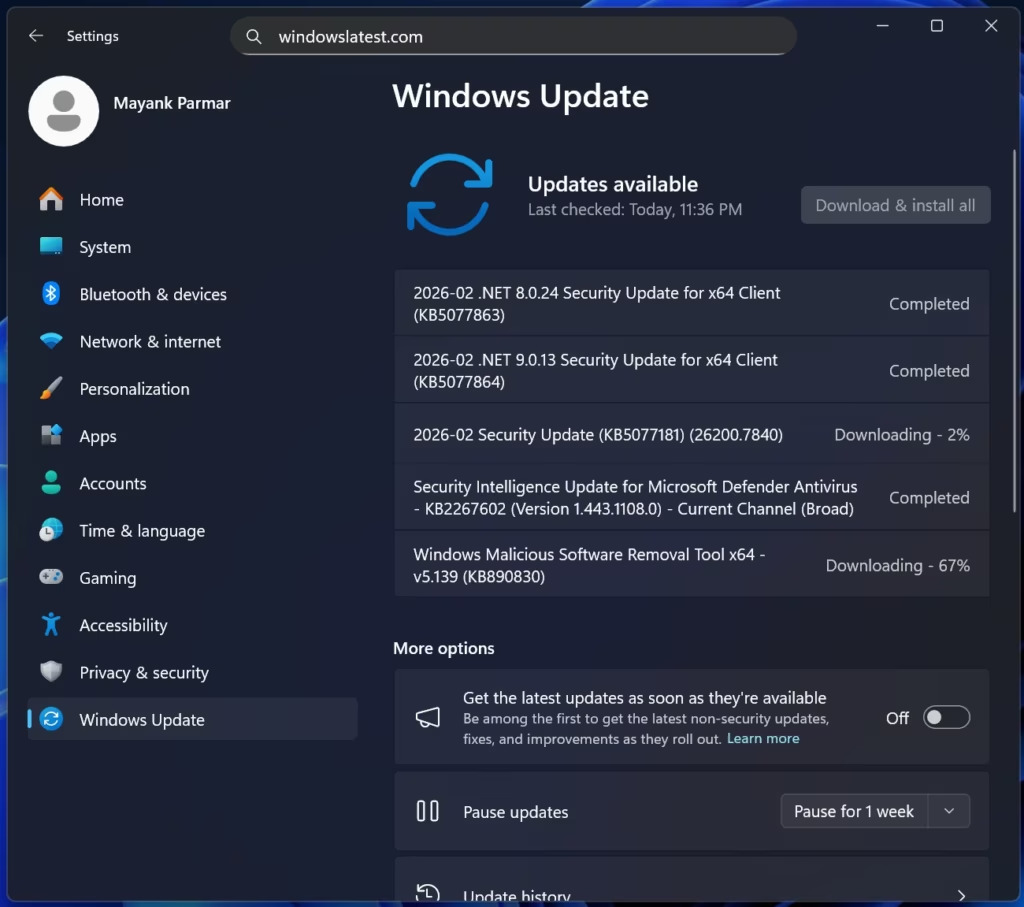
Microsoft has released the KB5077181 update for Windows 11, addressing several critical issues impacting user experience, particularly in gaming and system performance. This update resolves problems causing black screens with NVIDIA GPUs, frequent Explorer.exe crashes, and Start menu/Taskbar unresponsiveness.
Users reported that certain games were experiencing graphical glitches, performance degradation, or complete black screens, especially when using specific NVIDIA graphics cards. KB5077181 includes fixes that should mitigate these problems, resulting in a smoother and more reliable gaming experience for affected users.
Another significant improvement introduced by this update addresses a persistent issue with Explorer.exe, the core process responsible for managing the Windows user interface. Users have been experiencing frequent crashes, leading to loss of work and general system instability. The update contains fixes intended to significantly reduce the occurrence of Explorer.exe crashes, improving overall system reliability.
Furthermore, KB5077181 tackles problems with the Start menu and Taskbar, which were occasionally becoming unresponsive or failing to load correctly. This issue could prevent users from launching applications or accessing essential system functions. The update resolves this unresponsiveness, ensuring these critical UI elements function as expected.
Beyond these major fixes, the update also incorporates several smaller improvements and security patches, contributing to a more stable and secure Windows 11 experience. Users are encouraged to install KB5077181 as soon as possible to benefit from these critical fixes and improvements.
To install the update, navigate to Settings > Windows Update and click ‘Check for updates’. The update will download and install automatically. A system restart may be required to complete the installation process.